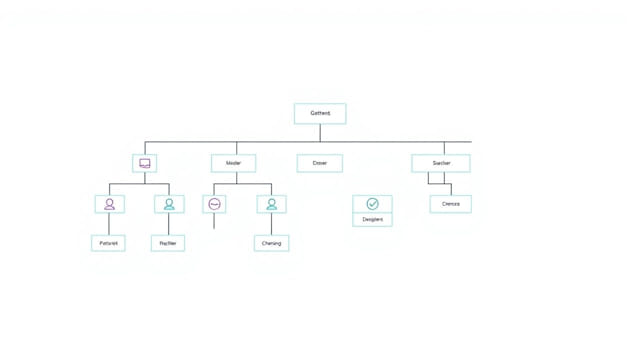
Every organization, no matter how large or small, benefits from having a clear structure. One of the easiest and most effective ways to communicate that structure is through an organizational chart. A free organizational chart template in Word format provides a practical solution for businesses, non-profits, and institutions to visually map their reporting hierarchy, team divisions, and leadership structure. Using Word to create an org chart is especially useful because it’s widely accessible, easy to edit, and compatible with most workplace systems.
Why Use an Organizational Chart?
Organizational charts serve multiple purposes. They clarify roles, define reporting relationships, and help employees understand how departments interact. Whether for onboarding, internal communication, or project management, a well-made org chart supports transparency and collaboration.
Common Uses for an Org Chart
- To identify leadership and team structures
- To introduce new hires to the organization
- To visualize department hierarchy
- To plan future organizational changes
- To support audits or compliance reporting
By using a free Word template, you eliminate the need for complex design software or expensive tools. You can download, edit, and update the chart as your company evolves.
Benefits of Using a Word Template
Microsoft Word offers more flexibility than many people realize. A well-designed organizational chart template in Word can be customized with just a few clicks. Here are some key benefits:
- Accessibility: Almost every office has Word installed, making it an easy tool for collaboration.
- Ease of Use: Templates come with preformatted shapes and connectors.
- Cost-Effective: Free templates mean you can create professional org charts without software costs.
- Customizable: Add logos, change colors, and modify the layout to fit your brand or structure.
Using Word also makes it easy to export the chart into PDFs or integrate it into reports and presentations.
What to Include in an Organizational Chart
A basic organizational chart displays positions and the relationships between them. However, depending on your organization’s complexity, you might want to include additional information:
- Employee Names: Helps personalize the chart and identify key people
- Job Titles: Clearly indicate roles and responsibilities
- Departments or Teams: Grouping helps clarify reporting lines
- Contact Information: Useful for internal communication tools
- Photos: Optional for enhancing remote team visibility
Think about your audience. A chart made for executives might be different from one shared company-wide or with new recruits.
Types of Organizational Charts
Not all organizational charts look the same. Choosing the right format depends on how your business operates and communicates internally. Here are common formats you can replicate using Word templates:
Hierarchical Chart
This is the most common type. It starts with the CEO or Director at the top, branching downward through managers, team leads, and employees. It’s best suited for traditional corporate structures.
Matrix Chart
Useful for companies where employees report to more than one manager. This template visualizes multiple lines of reporting, often seen in project-based or product-based teams.
Flat or Horizontal Chart
Popular in startups or small businesses, this chart eliminates levels of management and focuses on collaboration. The layout is horizontal instead of vertical.
Functional Chart
Organized by department or function, such as Marketing, Finance, or HR. Each function operates semi-independently, and this format helps visualize cross-department communication.
How to Edit a Free Word Template
Once you open a free organizational chart template in Microsoft Word, you can customize it by following a few steps:
- Select a shape (box) to update names, titles, or departments.
- Right-click to add more shapes or remove unnecessary ones.
- Use the SmartArt feature in Word for easier layout adjustment.
- Change font styles or colors to match your company branding.
- Save your template as a new file to preserve your edits.
With Word’s drag-and-drop capability, rearranging teams or leadership roles is simple and intuitive, even for beginners.
Tips for Creating an Effective Org Chart
Even with a template, it’s important to apply best practices when building your organizational chart:
- Keep it simple and easy to read
- Use consistent font size and box shapes
- Limit text within each box to essential information
- Use color coding to differentiate departments
- Test print the chart to ensure readability in both digital and paper formats
An effective org chart should not overwhelm the viewer but should provide clear insight into how the company operates.
Free Templates Available in Word
Microsoft Word offers built-in templates that can be accessed by opening Word and selecting New from the menu. You can search terms like organizational chart or org chart to view templates ready for editing. In addition, many trusted websites and productivity blogs offer free downloadable Word templates.
Whether you’re leading a department, managing a nonprofit, or building a startup, there’s a template that fits your needs.
Who Should Use These Templates?
Free Word-based organizational chart templates are helpful across industries. They are commonly used by:
- HR managers to map company structures
- Team leaders to outline project reporting
- School administrators to organize staff roles
- Startups to build foundational business structures
- Consultants to present client teams and proposals
Even family businesses and non-profit organizations can benefit from a visual structure for clarity and planning.
A free organizational chart template in Word is a practical, accessible, and effective tool for visualizing structure and enhancing communication within any organization. It allows users to build and update a company hierarchy with ease, even without advanced graphic design skills. By choosing the right format, customizing the details, and following design best practices, you can create an org chart that is both professional and functional. For any business aiming to improve clarity and alignment, a Word template is a smart place to start.