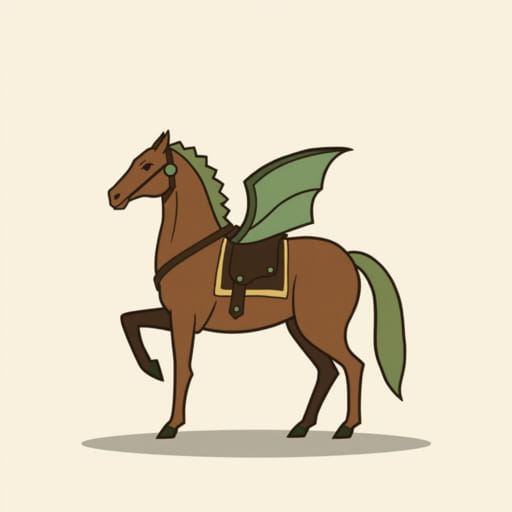
In Neverwinter, mounts are more than just a way to travel faster they’re an essential part of your character’s progression. Whether you’re a new adventurer or returning after a break, understanding how to equip a mount, manage mount powers, and use mount insignias can give you a serious edge. Mounts in Neverwinter also provide combat advantages, passive bonuses, and even cosmetic flair. With a proper setup, your mount can significantly influence your combat performance, making it important to know how to equip and configure them correctly.
Accessing the Mount Menu
Opening the Mount Interface
To begin equipping a mount in Neverwinter, open the character menu by pressing the appropriate key typically C on PC. From there, navigate to the ‘Mounts’ tab. You can also press U as a shortcut to bring up the mounts menu directly. This menu is where all your mount management happens.
Within the Mounts tab, you’ll see multiple sections, including Mount Inventory, Mount Speed, Combat Powers, Equip Powers, and Insignia Slots. Each of these sections allows you to customize your mount setup to match your playstyle and character build.
Equipping a Mount
Selecting a Mount
To equip a mount, look at the list of available mounts you own. These will appear as icons or thumbnails in your Mount Inventory. Click on the mount you wish to use as your active mount. This mount will become your primary means of travel and will also provide the Equip Power associated with it.
Once selected, the mount becomes available in your quickbar or mount summon key, usually bound to the = or – key. You can summon your mount anytime you’re in an area where mounting is allowed. Keep in mind that you can only have one active mount equipped for travel at any time, though their powers can be mixed and matched depending on your selection.
Mount Speed
All mounts in Neverwinter have the same movement speed once upgraded. In the past, different mounts had different speeds, but now they are standardized, and speed is determined by your mount’s upgrade rank (common to legendary). Upgrading mounts not only affects speed but also grants more insignia slots and stronger Equip and Combat Powers.
Using Mount Equip Powers
What Are Equip Powers?
Equip Powers are passive bonuses that your character gains simply by having the mount equipped. These can include bonuses to power, defense, critical strike, movement speed, or other useful stats. The strength of the Equip Power depends on the rarity of the mount.
- Green (Uncommon) mounts have basic Equip Powers.
- Blue (Rare) and Purple (Epic) mounts offer stronger passive bonuses.
- Orange (Legendary) mounts provide the most powerful Equip Powers.
To equip an Equip Power, go to the Mounts tab, look under the Equip Power section, and select one from your available mounts. Even if a mount is not your active ride, you can still benefit from its Equip Power if it’s selected here.
Choosing the Right Equip Power
Your choice of Equip Power should reflect your character build. For example:
- Tank classes may prefer defense, awareness, or stamina regeneration bonuses.
- DPS classes benefit more from power, critical strike, and combat advantage bonuses.
- Healers might look for outgoing healing or action point gain.
Mix and match your mounts to find the best synergy. Don’t just choose the coolest-looking one consider how the Equip Power will influence your performance in combat, dungeons, and PvP.
Activating Mount Combat Powers
What Are Combat Powers?
Combat Powers are active abilities that your mount can use during battle. These are unique attacks or effects that provide powerful bursts of damage, buffs, or crowd control. Only one Combat Power can be equipped at a time.
These powers can be triggered by pressing the mount combat key (default is Ctrl + the mount key) when in combat. The ability has a cooldown, so timing and strategic use are important.
How to Equip a Combat Power
To equip a Combat Power, go to the Mounts tab and locate the Combat Power section. From here, you’ll see a dropdown menu or list of mounts that offer Combat Powers. Choose one based on your class role and combat needs. You don’t have to ride the mount whose Combat Power you are using it’s selectable from any mount in your collection that supports combat abilities.
Using Insignias and Bonuses
What Are Mount Insignias?
Insignias are items you insert into your mount’s insignia slots to gain additional bonuses. Each mount starts with a certain number of insignia slots, depending on its rarity. Higher-tier mounts can have up to five slots, with a combination of Barbed, Illuminated, Crescent, Regal, or Enlightened slots.
To insert insignias:
- Open the Mounts tab.
- Go to the Insignia section.
- Drag insignias from your inventory into the available slots.
Each insignia gives a small stat bonus, but certain combinations unlock powerful Mount Insignia Bonuses. These bonuses can provide effects like stamina regen, temporary shields, bonus damage, or healing over time.
Common Insignia Bonuses
Some widely used insignia bonuses include:
- Cavalry’s Warning: Increases stats temporarily after mounting.
- Artificer’s Persuasion: Grants movement speed and stats after using an artifact.
- Shepherd’s Devotion: Buffs party members when using a healing spell (great for healers).
- Protector’s Camaraderie: Increases your defense and power when your companion attacks.
Always choose insignia bonuses that match your role and content. You can preview the effects in the Mounts tab before finalizing your setup.
Mount Training and Upgrades
Mount Upgrade Tokens
Mounts can be leveled up using Mount Upgrade Tokens. These tokens are earned through events, Zen store purchases, or lockboxes. Upgrading your mount increases its item level and can unlock more insignia slots, boost Equip Power stats, or improve its Combat Power.
To upgrade a mount:
- Go to the Mounts tab.
- Select the mount to upgrade.
- Click Upgrade and confirm your token spend.
Best Use of Tokens
Since tokens are limited and sometimes costly, prioritize upgrading mounts that offer top-tier Equip or Combat Powers. For example, if a mount provides a major power or awareness boost, it’s often worth upgrading to Legendary to maximize its effects.
Swapping Mounts Efficiently
Quick Tips
You can swap between mounts at any time outside of combat. If you want a different look without changing your Equip Power or Combat Power, just make another mount active for travel purposes. The mount appearance doesn’t affect your combat bonuses unless you change its assigned power slot.
Also, be sure to keep your mount collection organized. Favor frequently used mounts for quick access. You can filter by type, rarity, or bonuses in the interface to speed up selection.
Equipping a mount in Neverwinter involves more than just picking a cool ride. Between Equip Powers, Combat Powers, insignia bonuses, and upgrade options, mounts offer a rich layer of customization that can enhance your character’s power and performance. By learning how to manage your mount setup effectively, you’ll travel faster, hit harder, and survive longer across the many dungeons and zones of the Forgotten Realms. Whether you’re a casual player or a seasoned adventurer, investing time in optimizing your mounts will make a noticeable difference in your gameplay.