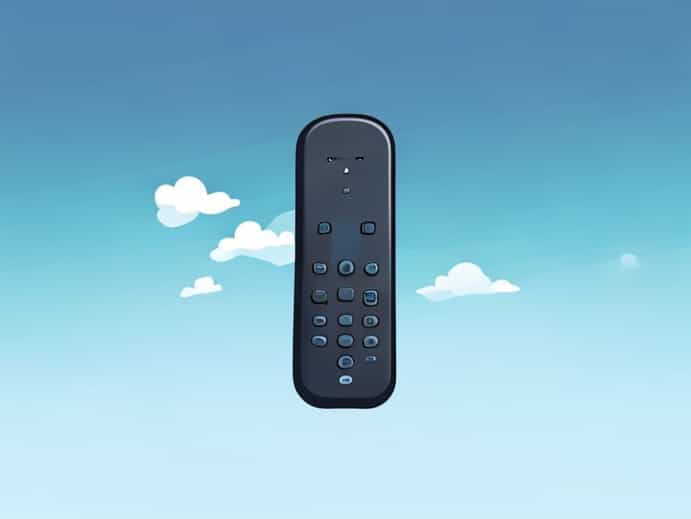
The Sky Q Bluetooth remote has transformed the way viewers interact with their Sky Q set-top boxes, offering an advanced, user-friendly interface that eliminates many of the limitations of traditional infrared remotes. Unlike older remotes that require a direct line of sight, the Sky Q Bluetooth remote uses wireless technology to communicate with the receiver, making it more convenient to control channels, access menus, and manage recordings from virtually anywhere in the room. For those seeking seamless television navigation combined with intuitive functionality, understanding the features, setup, and maintenance of the Sky Q Bluetooth remote is essential for maximizing its benefits.
Features of the Sky Q Bluetooth Remote
The Sky Q Bluetooth remote is designed to enhance the viewing experience through several advanced features that differentiate it from standard remotes
- Bluetooth ConnectivityThe remote uses Bluetooth technology, allowing you to control your Sky Q box without needing a direct line of sight. This makes it easier to use from different angles and across the room.
- Voice ControlMany versions of the Sky Q Bluetooth remote come with built-in voice recognition. Users can search for shows, change channels, or access apps simply by speaking commands into the remote.
- Touchpad NavigationSome remotes feature a touchpad for faster menu navigation. Swiping and tapping allows smoother scrolling through content and quick access to recorded programs.
- Programmable ButtonsKey buttons can be programmed for quick access to frequently used functions, such as recording, pausing, or jumping to specific channels.
- Battery EfficiencyThe remote is designed to consume minimal power while maintaining consistent performance, reducing the frequency of battery changes.
Setting Up the Sky Q Bluetooth Remote
Setting up the Sky Q Bluetooth remote is straightforward but requires careful attention to ensure proper pairing with your Sky Q box. Follow these steps for a successful setup
Initial Pairing
To pair the remote for the first time, start by removing the battery cover and ensuring batteries are inserted correctly. Press and hold the pairing button, usually located on the back or inside the battery compartment, until the LED light begins to flash. On your Sky Q box, navigate to the settings menu, select Remote Control, and follow the on-screen instructions to complete the pairing process. Once the LED stabilizes, the remote is ready for use.
Troubleshooting Connection Issues
While Bluetooth technology improves connectivity, occasional issues may arise. Common troubleshooting steps include
- Replacing the batteries if the remote does not respond.
- Ensuring there are no significant obstacles or interference sources between the remote and Sky Q box.
- Resetting the remote by holding down the pairing button for 10 seconds and attempting a new connection.
- Rebooting the Sky Q box to refresh its Bluetooth connection settings.
Using the Sky Q Bluetooth Remote Effectively
Once connected, the Sky Q Bluetooth remote provides a range of functionalities that make television control more intuitive. The combination of voice recognition, touchpad navigation, and programmable buttons allows users to customize their viewing experience
Voice Commands
The voice function enables users to search for programs, switch channels, and control playback without pressing multiple buttons. Phrases like Record the latest episode of [Show Name] or Go to BBC One allow hands-free operation, which is particularly useful when multitasking or for viewers with limited mobility.
Menu Navigation
Using the touchpad or directional buttons, users can scroll through menus, check upcoming recordings, access the Sky Q app library, and manage on-demand content. The responsiveness of the remote reduces frustration compared to older infrared models that required precise aiming.
Recording and Playback
One of the key advantages of the Sky Q Bluetooth remote is its efficient recording control. Users can set recordings for single episodes, full series, or recurring time slots. Playback functions such as pause, rewind, and fast-forward are executed smoothly, enhancing the overall viewing experience.
Maintenance Tips for Longevity
To ensure the Sky Q Bluetooth remote continues to function optimally, it is important to follow a few maintenance practices
- Battery ManagementReplace batteries as soon as you notice a decline in performance. Avoid mixing old and new batteries.
- CleaningRegularly wipe the remote with a dry cloth to prevent dust and debris buildup on buttons and the touchpad.
- Firmware UpdatesOccasionally, Sky Q updates may include improvements to Bluetooth connectivity. Ensure your Sky Q box is updated to the latest firmware.
- Safe StorageKeep the remote away from extreme temperatures or direct sunlight to prevent damage to its internal components.
Advantages Over Traditional Remotes
The Sky Q Bluetooth remote offers several advantages compared to standard infrared remotes. Its ability to operate without direct line-of-sight makes it more versatile in larger rooms or complex entertainment setups. The voice command feature provides convenience and accessibility, while touchpad navigation ensures smoother interaction with Sky Q’s interface. Programmable buttons reduce repetitive actions and streamline user control, enhancing efficiency and user satisfaction.
Enhanced Accessibility
For individuals with mobility challenges or visual impairments, the combination of voice recognition and Bluetooth connectivity makes controlling the Sky Q box easier. Users can operate the television from a distance or with minimal physical interaction, supporting inclusivity in home entertainment.
Common Issues and Solutions
While the Sky Q Bluetooth remote is reliable, users may encounter occasional issues. Common problems and their solutions include
- Unresponsive ButtonsCheck battery levels, clean the button surface, or reset the remote by holding the pairing button.
- Lost ConnectionRe-pair the remote following the setup instructions or restart the Sky Q box.
- Voice Recognition ErrorsEnsure you speak clearly and that the microphone is unobstructed. Sometimes firmware updates can also improve voice recognition accuracy.
The Sky Q Bluetooth remote represents a significant advancement in home entertainment technology. Its combination of Bluetooth connectivity, voice command functionality, touchpad navigation, and programmable buttons provides a user-friendly experience that goes beyond traditional remotes. Setting up the remote is simple, and maintenance is straightforward, allowing users to enjoy smooth and efficient television control. By understanding its features, troubleshooting tips, and best practices, viewers can fully maximize the convenience and versatility offered by the Sky Q Bluetooth remote, creating a more enjoyable and accessible entertainment environment for every household.